Automotive
How to Make the Most Out of an OBDII Tool

Modern cars rely on complex electronic systems to monitor performance, manage emissions and ensure the engine runs efficiently. OBD, short for On-Board Diagnostics, is a universal system that tracks and reports engine and vehicle data, letting you identify faults before they develop into serious problems. A crucial part of both diagnosis and engine maintenance, OBDII provides valuable insight into how your car is performing. With a car scanner, you can connect directly to your vehicle’s on-board computer, retrieve fault codes and interpret real-time data without guessing or unnecessary workshop visits.
Types of OBDII Tools
Scanner

Source: tomsguide.com
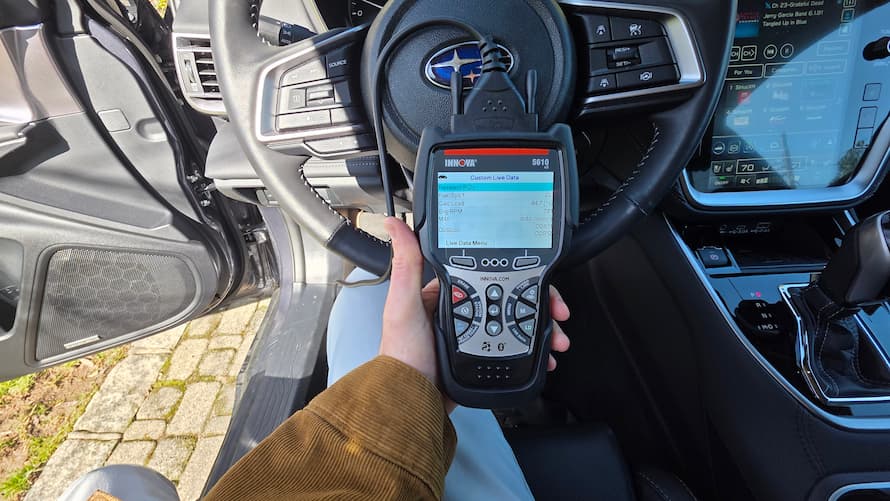
An OBDII scanner is the most versatile option available. It connects to your vehicle to read and clear fault codes, show live sensor data and provide detailed repair insights. This type often includes a larger display and may connect wirelessly via Bluetooth or Wi-Fi. An OBDII car scanner usually comes with built-in storage for reading history and simple navigation menus for efficient use.
Reader
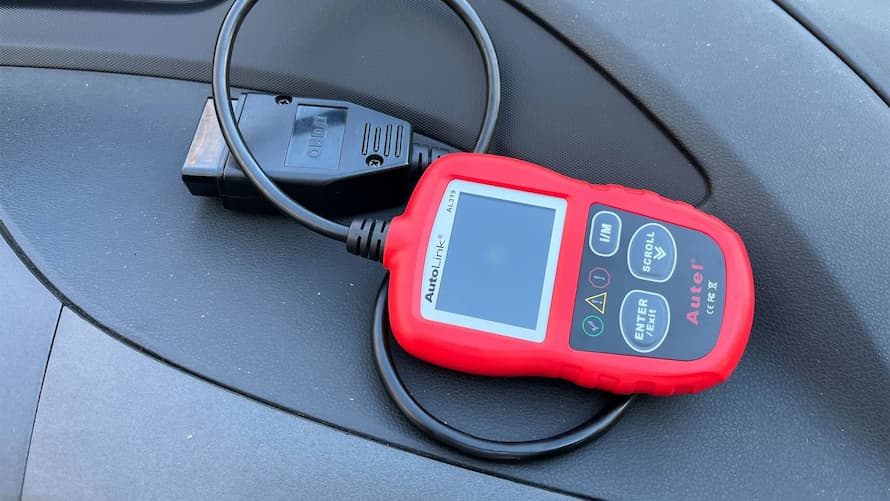
An OBDII reader is a basic device that interprets trouble codes and displays them on a small screen. While it doesn’t provide as many features as a full scanner, it’s quick and easy to use for spotting and clearing standard faults. Budget-friendly readers are excellent for drivers who want to perform quick checks between services. You can pair an OBD2 code reader with a smartphone app for more information.
Four-System
A four-system OBDII tool reads data from four core systems: the engine, transmission, anti-lock brakes and airbags. This makes it a practical choice for detecting issues beyond just the engine. It’s useful for diagnosing warning lights that appear on the dashboard but aren’t related to powertrain issues. Affordable and versatile, these scanners bridge the gap between basic readers and full-system tools.
Bi-Directional
Bi-directional OBDII tools allow two-way communication with your vehicle’s ECU. This means you can not only read information but also send commands, such as running tests or activating specific components to check performance. They’re mainly intended for advanced users or mechanics who want deeper control over system testing. A bi-directional diagnostic tool stands out because it helps confirm whether mechanical and electrical components respond correctly to ECU commands.
Full-System
Full-system diagnostic tools for cars provide comprehensive information from every electronic unit in the vehicle. They can access the engine, transmission, ABS, airbag, climate control and other systems to deliver full reports. These are ideal for professional workshops or enthusiasts handling complex vehicles. Their wide compatibility and data depth make them indispensable for efficient troubleshooting and maintenance planning.
Reader with ECU Programming
Some OBDII readers feature ECU programming capabilities, allowing updates or resets to software-based car systems. This kind of OBD2 code reader is particularly useful when adapting new parts or recalibrating systems after a repair. Because ECU programming requires precision, it’s best suited for experienced users familiar with manufacturer guidelines. With careful use, it keeps your car’s software in check and ensures your vehicle continues to operate as it was intended from the factory.
How to Use an OBDII Scanner
Source: thedrive.com
Locate
Before using any OBDII tool, find the diagnostic port inside your vehicle. It’s typically located under the dashboard on the driver’s side. The port connects directly to the car’s on-board computer and is shaped to fit the OBDII plug. You can check your owner’s manual for its exact position if you’re unsure.
Connect
Once located, plug in the OBDII device. Most diagnostic tools power on automatically through the vehicle connector, while Bluetooth versions link wirelessly to a phone or tablet. Make sure the ignition is switched on so the scanner can communicate with the ECU. Wait a few seconds for the system to establish a connection.
Enter
After connection, use the menu or software interface to enter your car’s details, including make, model and year. This allows the tool to correctly interpret the codes based on manufacturer specifications. For app-based scanners, selecting the correct vehicle model ensures accurate data readings.
Access
When setup is complete, navigate to the “Read Codes” or “Diagnostics” option. The OBDII system then displays active or stored trouble codes. Some advanced scanners also show pending codes that indicate developing problems not yet serious enough to trigger the check engine light. Record or save these codes for future reference.
Identify
Use the on-screen guide or a code lookup function to understand each code’s meaning. Every code relates to a specific system or component, such as oxygen sensors, ignition timing or fuel injectors. Comprehensive diagnostic tools for cars usually display brief descriptions beside the code, making interpretation easier for beginners.
Trouble Codes
Once you identify the problem, inspect the related area or component to determine whether simple maintenance, cleaning or replacement is needed. Remember that some faults may link to sensor misreadings rather than mechanical defects. Comparing live data values helps confirm the root cause before repairs. This step-by-step approach prevents unnecessary part replacement and saves money.
Reset
After fixing the issue, return to the device menu and select “Clear Codes” to reset the system. This erases diagnostic trouble codes and turns off the check engine light. Drive the vehicle for a short distance and recheck to ensure the fault hasn’t returned. Resetting is an important step because it verifies whether the repair has solved the underlying issue.