Technology
A3 Printer: Selection Guide and Top Models

Do you find the standard A4 printing too restrictive for your creative or professional needs? Then maybe you need an A3 printer. Measuring 297 x 420mm, or 11.7 x 16.5 inches, A3 offers twice as much space compared to A4 paper, enabling professionals to create posters, architectural drawings, marketing materials, and high-quality photo prints. Here’s what you need to consider before you make an investment.
What to Look for When Selecting an A3 Printer
Print Technology: Inkjet vs. Laser
This is a decision that will shape your printing experience. Inkjet printers are great at photo printing and colour accuracy, which makes them the first choice for photographers, designers, and artists. They can handle a great deal of different paper types, from glossy photo paper to textured fine art media. While the A3 format is less common among laser printers, they offer faster speeds and lower per-page costs. These printers are excellent for text-heavy documents but usually can’t replicate the colour vibrancy of inkjets.
Print Quality & Colour Accuracy
If you are printing photographs or design work, check the resolution and colour system. A professional-grade A3 size printer often uses six ink cartridges rather than the standard four, with the addition of light cyan and light magenta for smoother gradients and more accurate rendering of skin tones. Look for models whose minimum droplet size is 1-2 picolitres for the finest detail. Colour gamut coverage, particularly how well the printer covers Adobe RGB or sRGB colour spaces, also becomes a significant issue in professional work.
Running Costs
The purchase price is only part of the story. To gain a more accurate picture of the eventual cost per print, look to ink cartridge yields and prices. Some manufacturers offer high-capacity cartridges or even refillable ink tank systems that greatly lower long-term costs. An A3 printer for sale that is cheaper at the time of purchase but requires expensive, low-yield cartridges can end up being surprisingly expensive over time. Consider, too, whether you’ll be printing often enough to stop ink from drying out between uses.
Speed and Volume
What is your average workload? If you only occasionally print marketing materials, then speed is of little concern. But if you are running a small studio or often need multiple copies, pages-per-minute ratings are of more importance. Look for the recommended monthly duty cycle, which estimates how many pages it can handle before showing increased wear.
Connectivity and Workflow
Most modern A3 printers have several ways to connect, including USB, Ethernet, Wi-Fi, and even air printing from mobile devices via AirPrint or manufacturer apps. For professional use, network connectivity can allow multiple users to share one device. Some models include cloud printing capabilities that let you send jobs from anywhere. If you are working with large files, consider whether the printer has enough onboard memory to handle complex graphics without slowing down.
Physical Footprint
An A3 size printer is much bigger than an A4 one. Measure the space where you will be placing it, considering also the space for paper trays and output areas. Some designs have vertical feeds, which can save desk space, whereas others require more horizontal room for easier paper loading.
Top 5 A3 Printer Models

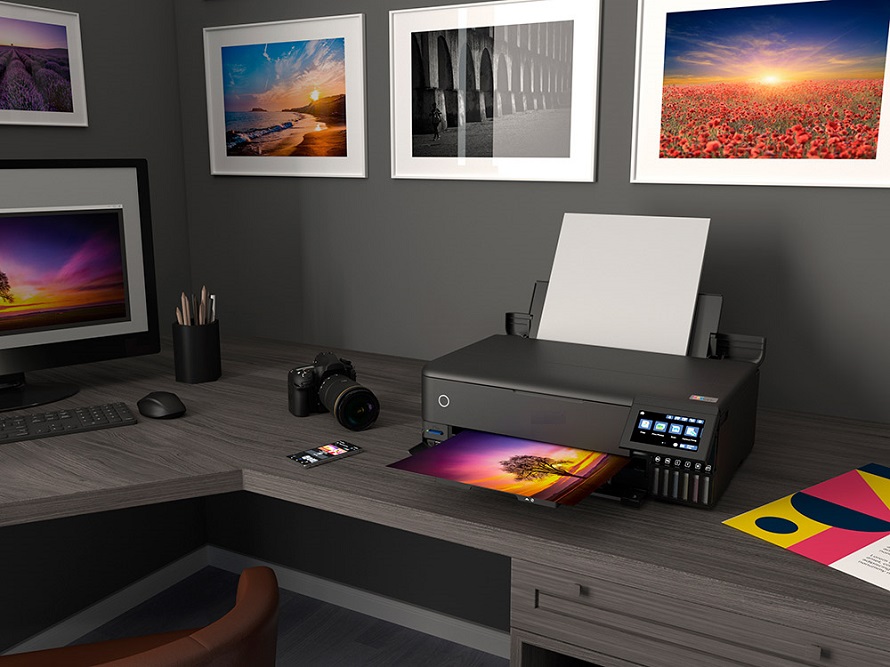
source: parkcameras.com
1. Epson SureColor P706
This top-of-the-line, wide-format printer is a professional photographer’s dream. The ten-colour UltraChrome PRO10 pigment ink system gives the printer excellent colour accuracy with breathtaking blues and violets. An enhanced black switching system provides the printer with both matte and photo black inks with no waste of time and media during changeovers. Of course, all of this comes at a rather high price, but this one is a workhorse for the professional and well worth it with the quality of prints you get.
2. Fujifilm Apeos C2450 S
This compact A3 colour multifunction printer is designed for small businesses and home offices that want professional capability without unnecessary complexity. It offers fast A3 colour printing of high image quality, with a single-pass duplex automatic document feeder for efficient scanning. The 7-inch colour touchscreen enables users to customise display icons and register often-used operations for easy workflow. With mobile printing support, Wi-Fi capabilities, and the ability to operate on both wired and wireless networks at the same time, it offers outstanding flexibility to growing businesses that need dependable document handling in addition to quality printing.
3. Kyocera ECOSYS M8124cidn
This A3 colour multifunction laser printer merges business-grade performance with environmental responsibility. Printing at 24 pages per minute in colour and black-and-white, it includes Kyocera’s signature long-life components, reducing waste and maintenance costs. The standard stackless duplex printing supports paper sizes from statement to ledger, and the dual-scan document processor handles batches of up to 50 sheets with ease. Economical running costs and robust construction mean that it is ideal for businesses wanting dependable A3 capability without frequent replacement of consumables.
4. HP OfficeJet Pro 7740
This device provides an all-in-one A3 printing, scanning, copying, and faxing solutions. While it may not be quite up to the standard of a dedicated photo printer, it does very well with business graphics, presentations, and marketing materials. Being relatively compact and having reasonable running costs, it is also ideal for small offices that need A3 capability but don’t need to dedicate an entire room to printing equipment.
5. Brother MFC-J5945DW
Brother’s entry offers great value with its INKvestment Tank technology, which falls somewhere in between traditional cartridges and full tank systems. It manages prints of up to A3 tabloid-size, delivers solid document and photo quality, and features a 50-sheet ADF and duplex printing, adding major utility for offices. It’s perhaps the most well-rounded choice available for users needing versatility without premium pricing.